In this document we will help you understand the Java projects and code and where you need to intervene in order to complete our assignments
We think you have your environment ready from the previous unit.
Just in case:
- Visual Studio Code (VSC) or Eclipse or any other Java IDE
(We use Visual Studio Code because we use the same editor for all the platforms)
- if you use VSC: Microsoft Java extensions for VSC: Maven, Debugger, Test Runner, Language Support
- Java / We use OpenJDK 19
- Maven Installed and Working
We are giving you TWO Java projects:
FIC-SERVER Project
The FHIR server you will intervene to add functionality / fix
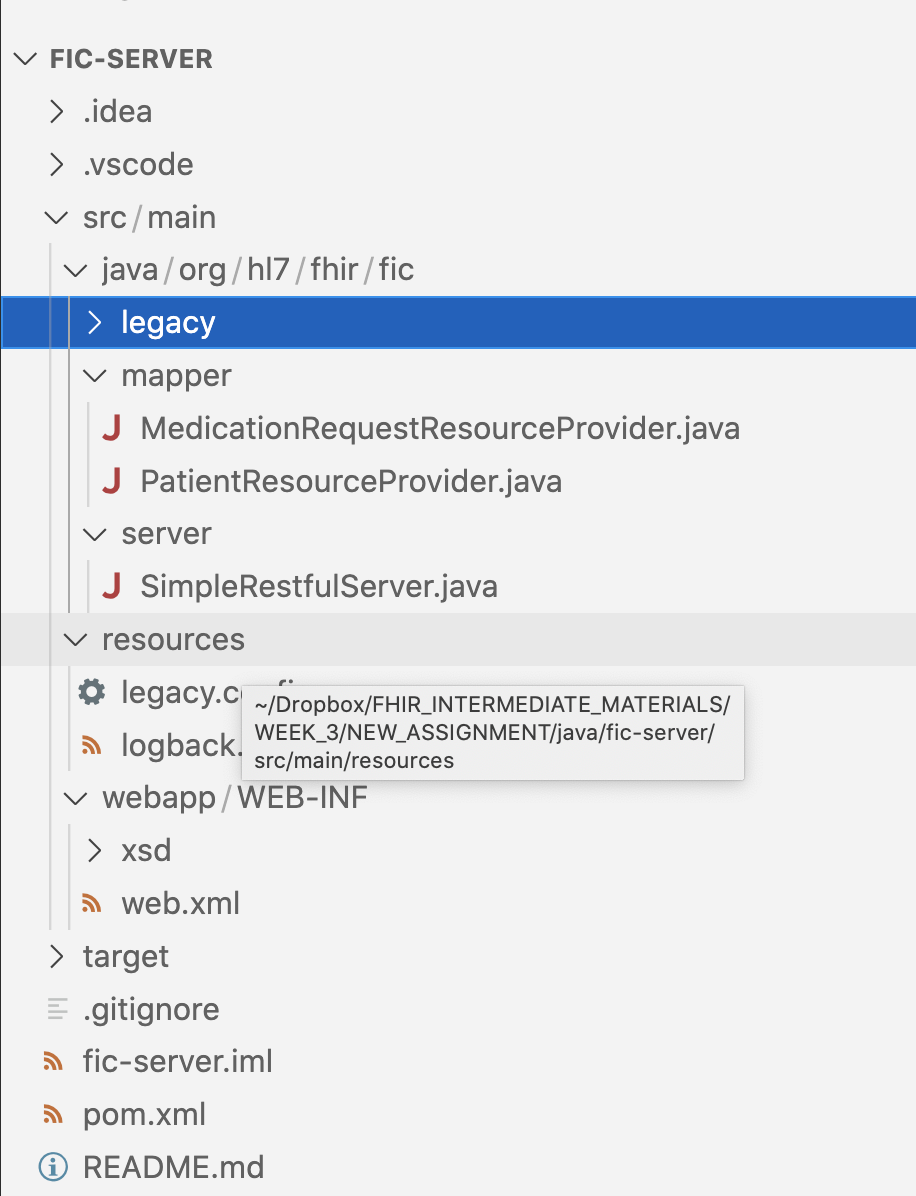
To start FIC-SERVER, you need to execute in the console
mvn jetty:run
Verify that the project is running in "http://localhost:8080/"
TESTER project
The project that you will use to test your progress and create your submission
Verify the config.java class to see if it is pointing to "http://localhost:8080/"
So, you will modify FIC-SERVER and use TESTER (in a different window) to test it.
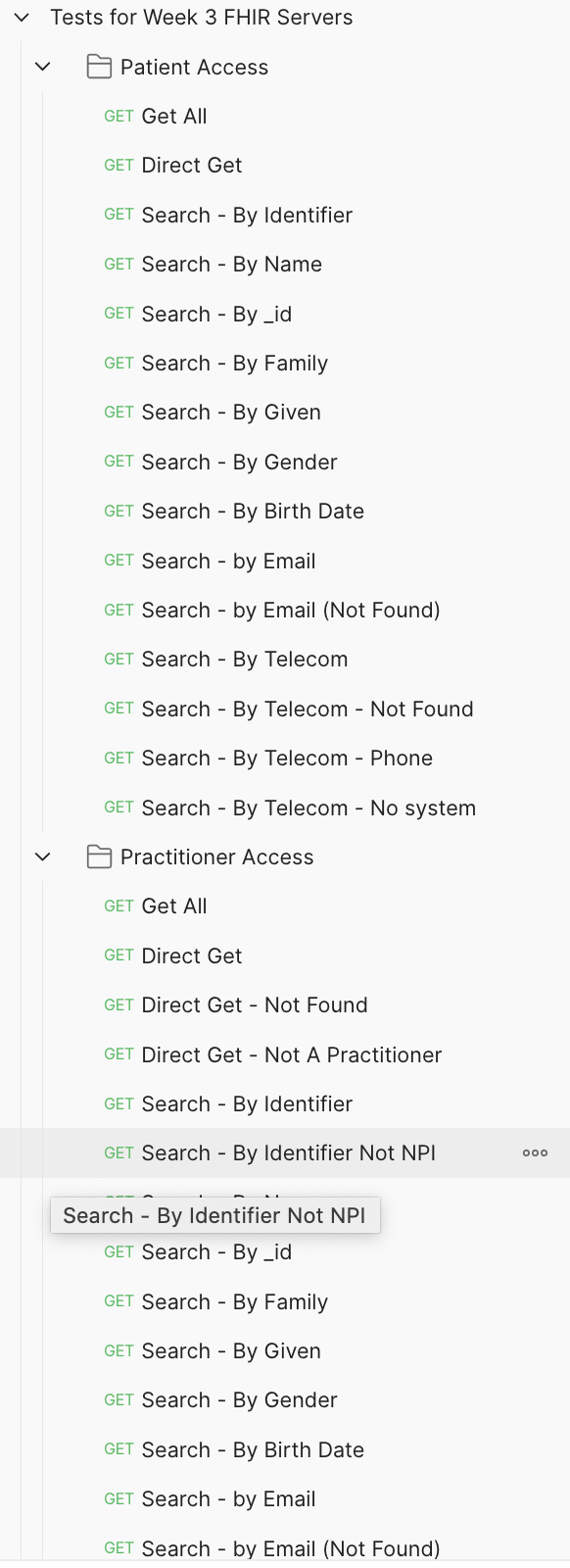
Postman Collection
We also provide a postman collection. If you are used to test your APIs with Postman, this is an easy way before using the Tester project
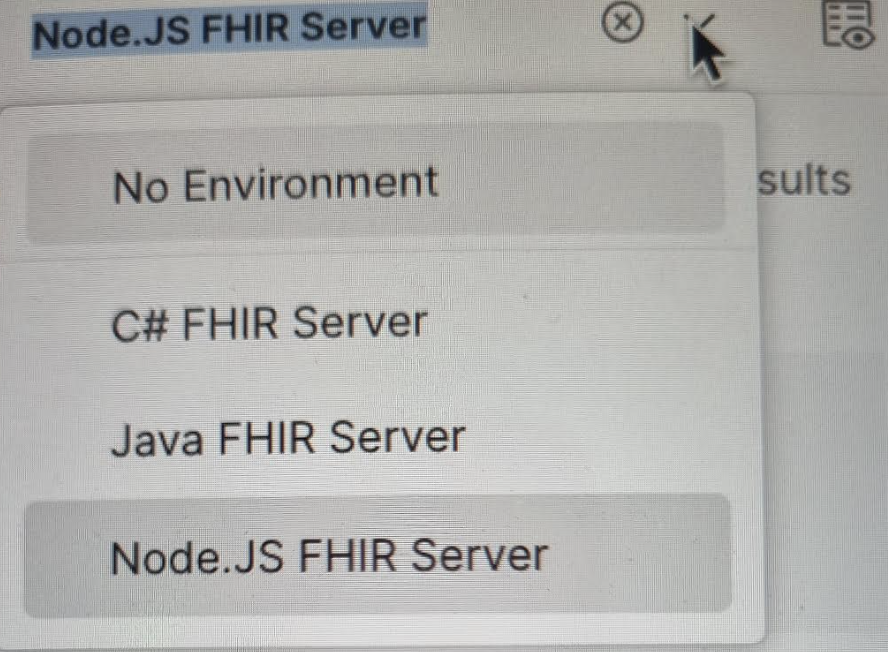
Remember to change the environment to Java FHIR Server before testing.
The Environment menu is in the top-right corner in Postman
For this assignment you need to add search parameters telecom and email to the Patient resource.
Tip#1.1: Where to look: PatientResourceProvider.java
Remember that for each resource we support we need to code a resource provider with all the CRUD methods we support. But this resource (Patient) is already supported
Tip#1.2: The FHIR Search for Patient is implemented in searchPatient
How do we know? Because it is marked with @Search
This is how we inform FHIR HAPI that THIS is the method to call when someone
Tip#1.3: The searchPatient method defines the parameters for searching, so you will need to add the new search parameters as new parameters for this method.
public List<Resource> searchPatient(HttpServletRequest request,
      @OptionalParam(name= Patient.SP_BIRTHDATE) DateRangeParam birthDate,
      @OptionalParam(name = Patient.SP_FAMILY) StringParam familyName,
      @OptionalParam(name= Patient.SP_GENDER) StringParam gender,
      @OptionalParam(name= Patient.SP_GIVEN) StringParam givenName,
      @OptionalParam(name = Patient.SP_IDENTIFIER) TokenParam identifier,
      @OptionalParam(name= Patient.SP_NAME) StringParam name,
      @OptionalParam(name = Patient.SP_RES_ID) TokenParam resid)
Tip#1.4: After adding the parameters you will need to do something with them if they arrive. See how we process all the other parameters and do something...similar.
Tip#1.5: Remember that for telecom searches, when the system is not equal to email, we want you to raise an exception message, because the underlying API/db does not support phone as an element.
How to do that? You need to put this...somewhere:
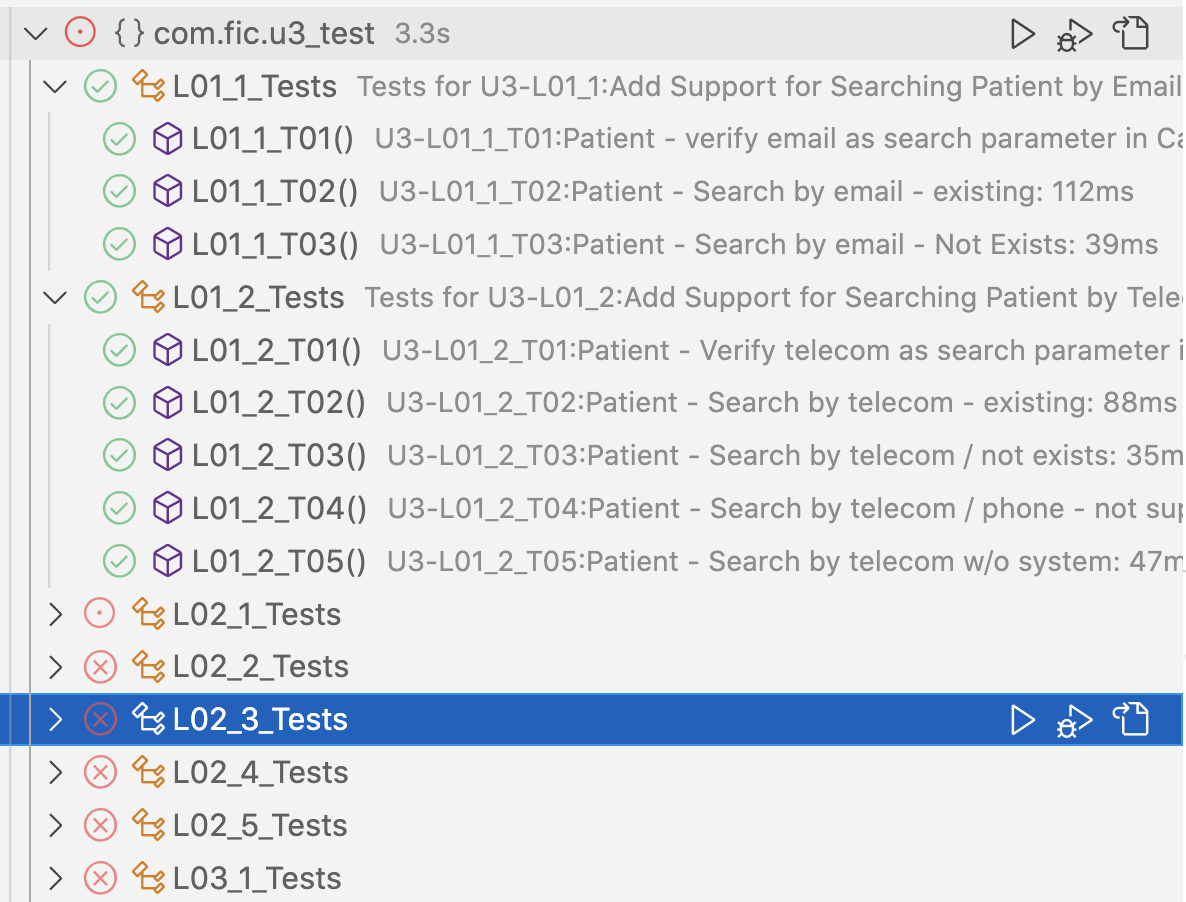
throw new NotImplementedOperationException( message )Tip#1.6: After implementing, run the set of tests for L01 in the TESTER project using the Java test tooling in your IDE - you should see something like this if you were successful
For this assignment you need to implement support for the Practitioner resource, using the same underlying person API.
Remember that for each resource we support we need to code a resource provider with all the CRUD methods we support. This resource (Practitioner) is not supported yet.
Tip#2.1: Where to look? You need to create a new one! Hint: PractitionerResourceProvider.java
The content for this resource provider will be very similar to the one for Patient.
Tip#2.2: Remember to change all references to Patient into Practitioner
Tip#2.3: Remember to add your new resource provider to the SimpleRestfulServer.java class
Tip#2.4: Remember that birthdate is not one of the parameters for Practitioner search - review your equivalent (for Practitioner) to searchPatient
Tip#2.5: Remember that for telecom searches, when the system is not equal to email, we want you to raise an exception message, because the underlying API/db does not support phone as an element.
How to do that? You need to put this...somewhere:
throw new NotImplementedOperationException( message )Tip#2.6: Remember that only the NPI identifier is allowed for identifier searches. You need to return a specific message if this is not the case
throw new InvalidRequestException( message )Tip#2.7: Remember to filter in any other search: only persons with one NPI identifier are included in all searches (name, family, gender, etc.)
Tip#2.8: Remember that if you receive a direct get (Practitioner/xxx) and the person does not have a NPI identifier, you need to return a specific error message
throw new InvalidRequestException( message )Tip#2.9: After implementing, run the set of tests for L02 in the TESTER project using the Java test tooling in your IDE - you should see something like this if you were successful
For this assignment you need to fix the support for the MedicationRequest resource
Remember that for each resource we support we need to code a resource provider with all the CRUD methods we support. This resource: MedicationRequest is already supported (but it is not FHIR/US CORE compliant yet)
Tip#3.1: Where to look? Hint: MedicationRequestResourceProvider.java
Only one method to review: AssembleResource
Tip#3.2: Remember to review the resource this code creates and see what is missing to make it compliant with FHIR and US CORE MedicationRequest
Tip#3.3: Then you need to use the Legacy API to recover the Practitioner name and add it as display for the requester.
Tip#3.3: Finally, use the Legacy API to check whether the prescribed medication is an opioid, and add the warning message there.
Tip#3.4: After implementing, run the set of three tests for L03 in the TESTER project using the Java test tooling in your IDE.

Run the java class CreateSubmission.java
This will create a file called FHIR_INTERMEDIATE_U3_SUBMISSION...JSON in your project folder.
Send the submission file using the assignment block ‘Send your Submission Text'
Send the submission code (Only the classes you modified) using the assignment block ‘Send your Submission Code'