In this document we will help you understand the SMART on FHIR & CDS Hooks project and code and where you need to intervene in order to complete our assignments
We think you have your environment ready from the previous unit.
Just in case:
- Visual Studio Code (VSC) or any other HTML, JS and JSON editor
- A localhost server.
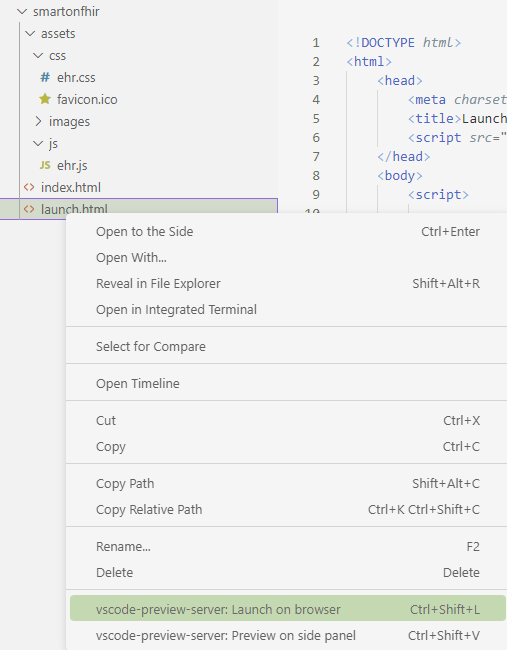
You can use any web server you have. If you don't have one, we recommend installing a VSCode extension. https://marketplace.visualstudio.com/items?itemName=yuichinukiyama.vscode-preview-server
This extension provides a preview of HTML which executes your code on a web server. When you save files, this extension automatically reloads the browser. You can call these features from the context menu or editor menu. We are going to use Launch on browser.
- Launch on browser (ctrl+shift+l): Open Web Page on default browser. You can check all the operations with web page.
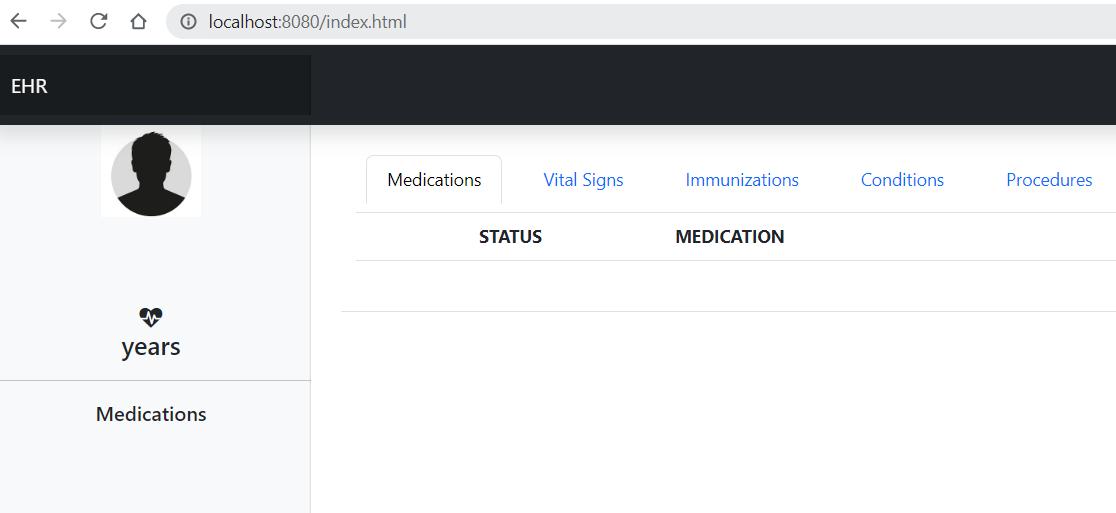
You can test it using the index.html page
We give you a project:
smartonfhir project
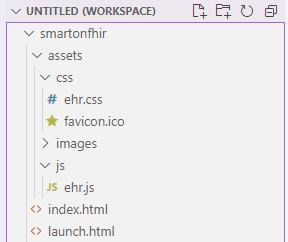
The project includes three key files. launch.html, index.html and ehr.js
In order to launch our SMART on FHIR app, we are going to use the SMART App Launcher (no registration required) https://launch.smarthealthit.org/
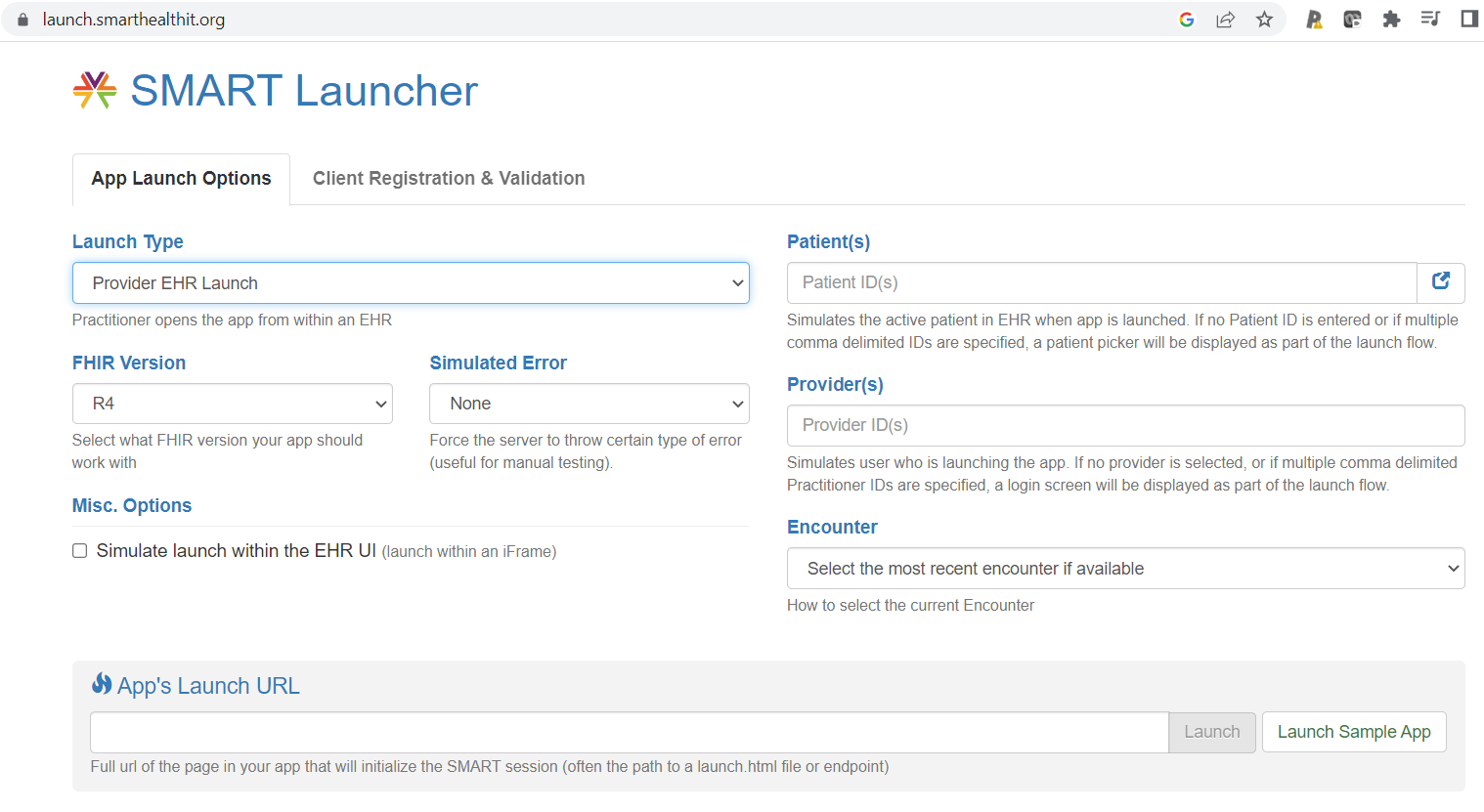
Options are:
- Launch type : Provider EHR Launch
- FHIR Version R4
- Simulate error : none
- Patient id : Simulates the active patient in EHR when the app is launched. You can browse and select any patient. If no Patient ID is entered, a patient picker will be displayed as part of the launch flow.
- Provider id : Simulates user who is launching the app. If no provider is selected, a login screen will be displayed as part of the launch flow.
- App's Launch URL : Full url of the page in your app that will initialize the SMART session (often the path to a launch.html file or endpoint)
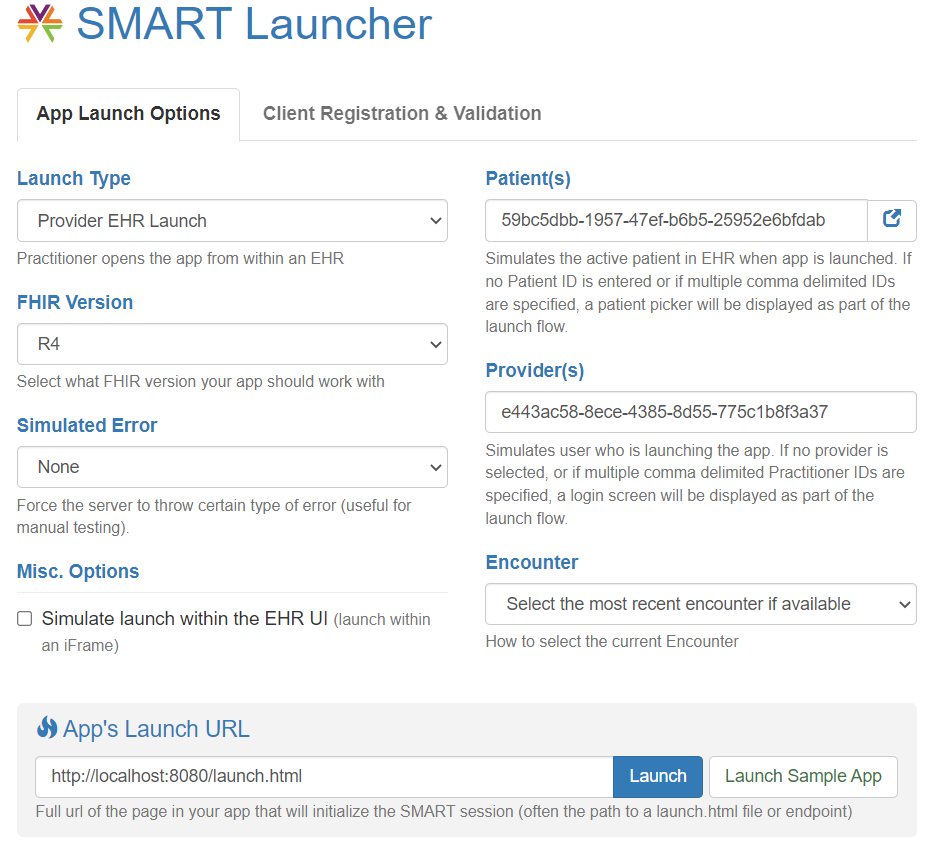
Example :
Patient Alberto Amstrong
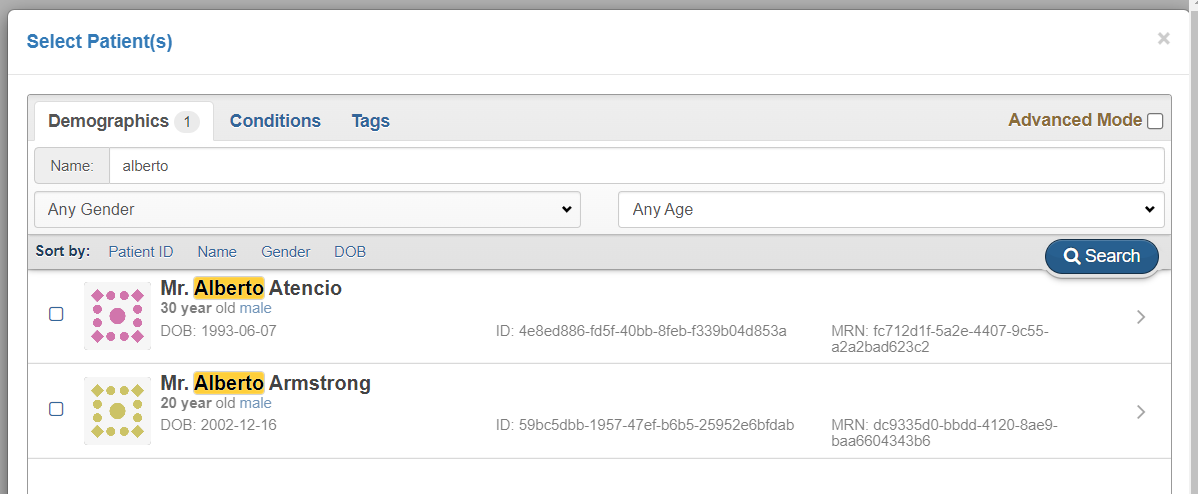
Provider : Dr Sara Angulo
URL : http://localhost:8080/launch.html
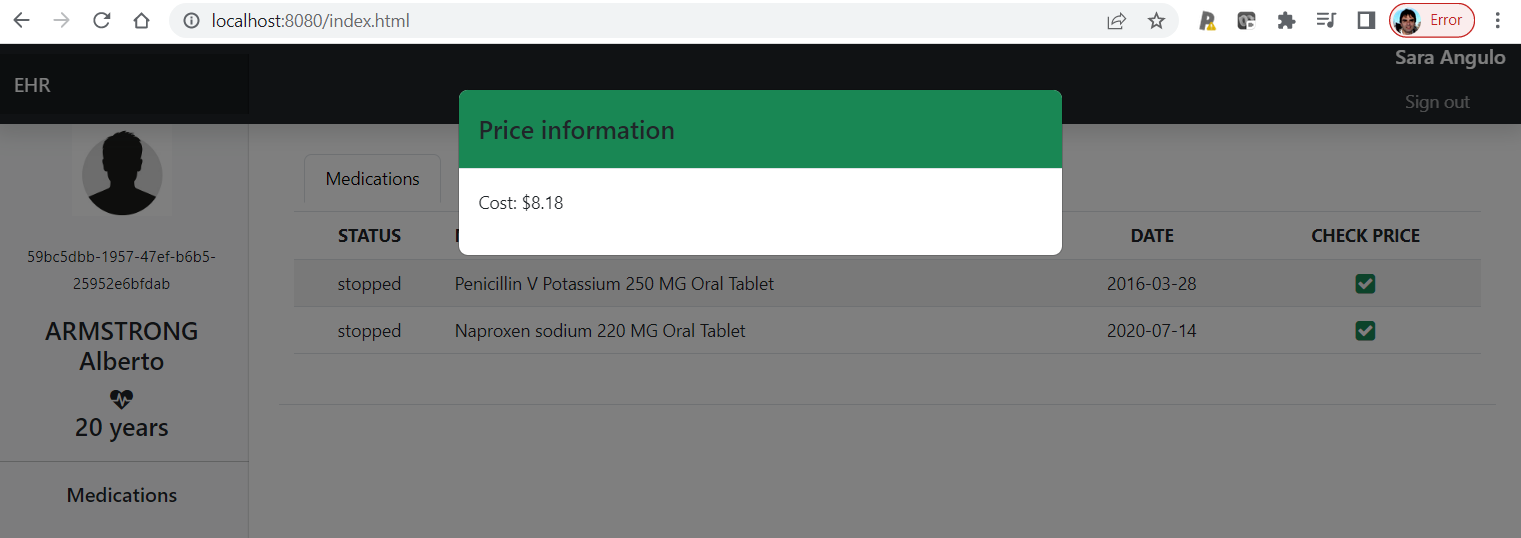
When you click on the Launch button, the magic happens and your app should display a website like this.
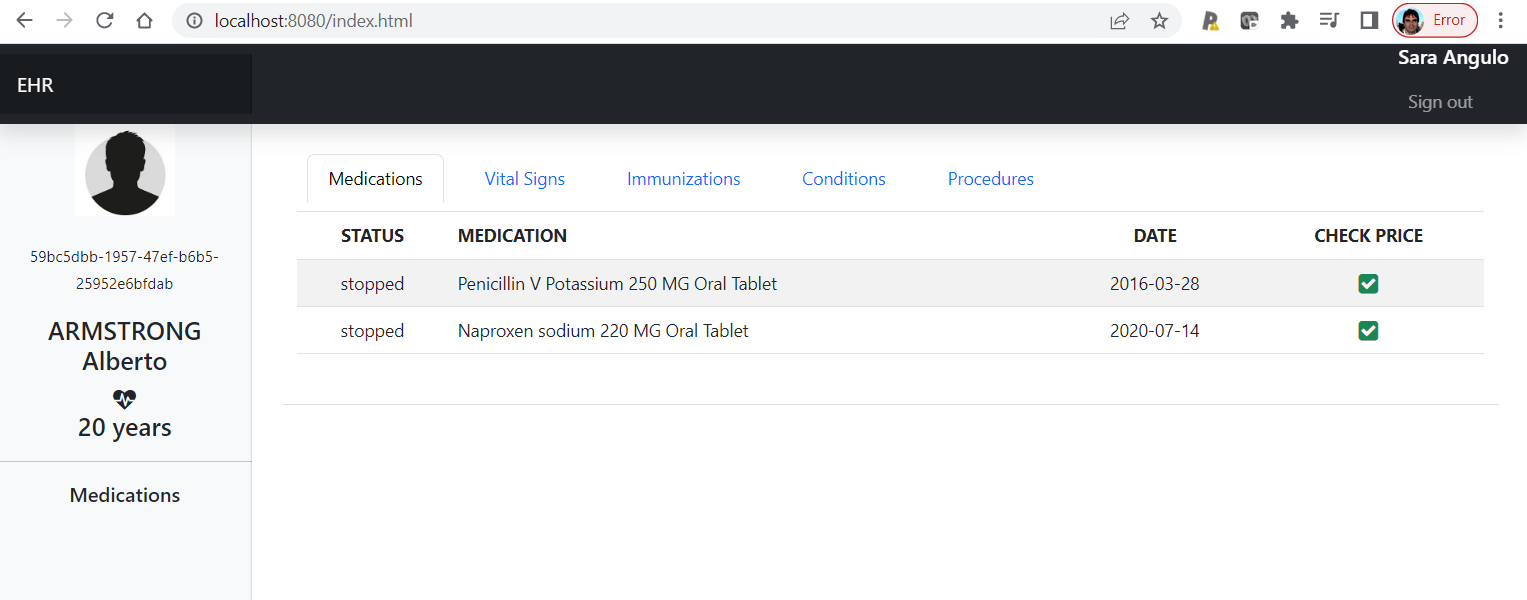
And when you click on the check price icon, the call to the CDS Hook service is executed and the information about the price is displayed.
For this assignment you need to include the correct scope in the launch.html file.
Tip#1.1: Where to look:
Look for the scope item in the launch.html file
Tip#1.2: Identify which FHIR resource you need access to represent demographics, vital signs, prescriptions, immunizations, problems and procedures.
Tip#1.3: Remember that V2 scope defines permissions based on "CRUDS" initials.
• c for create
• r for read
• u for update
• d for delete
• s for search
Send your submission
You need to send the complete HTML code. From <html> to </html>
For this assignment you need to add a new column before the STATUS column in the medication grid
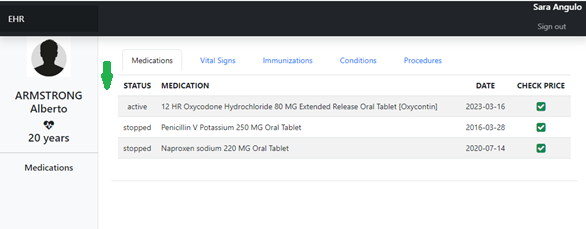
Tip#2.1: Find the missing element in the spec. https://hl7.org/fhir/us/core/StructureDefinition-us-core-medicationrequest.html
Each MedicationRequest must have...
You don't need to display the prescriber and the patient in the grid.
Tip#2.2: Where to add my code ? You need to modify two files. index.html to include the new column header in the grid template and the function createMedicationGrid at the ehr.js file.
Tip#2.3: You can´t modify the previous code. Just add the new element using the same strategy already used.
Send your submission
As the index.html is extremely easy, you just need to send the complete createMedicationGrid function code.
For this assignment you need to fix the script that creates the card.
Tip#3.1: Where to look?
This script is not part of the provided project. It's a mock that simulate the
cms-price-check service published at https://sandbox-services.cds-hooks.org/cds-services/
that we use in our app. Find the script code at the activity page.
Tip#3.2: It 's not a sintaxis language issue. This code was audited by a senior developer and there are no mistakes, so take a look at the CDS Hooks standard part.
Send your submission
You need to send the complete script code. From "if (price) {" to "}"